The best coding agent for local models on a Mac
Point it at a repo, describe a change, and watch a model you are running yourself edit the code and get the tests green. No cloud, API key, or per-token billing.
OptiQ Code is a coding agent that lives in your terminal and runs on your own model. It drives whatever optiq serve is serving, a 4-bit quant on your MacBook or a 27B on a Mac Studio, through the same read, edit, run-tests loop you would expect from a cloud agent. Everything stays on your machine.
$ pip install mlx-optiq
$ optiq serve --model mlx-community/Qwen3.6-27B-OptiQ-4bit --idle-timeout 300
$ cd my-project && optiq code
Why run the model yourself
Cloud coding agents are excellent. They also send your code to someone else's computer and bill you by the token. That trade is fine for a lot of work, but not for a private repo, an offline machine, or a long agent loop you would rather not meter. A local model has no metering or network round-trips. The catch has always been that local models are weaker, and weaker models fail in ways a strong one hides.
Built for the model you actually have
A small model often reasons its way to the right fix and then loses it on the mechanics: diffs that don't apply, wasted turns, empty patches. OptiQ Code puts its engineering there.
- Empty patches. Every way the loop can end salvages the working
git diff, so a run that is out of turns, crashed, or stopped by the clock still hands back your change. - Failed edits. When an exact-match edit keeps missing, the harness stops retrying and asks for a full-file rewrite instead of dead-ending.
- Stalls. Reading without editing, or repeating itself, trips a nudge to make one small, testable change and then run the tests.
- Messy output. ANSI is stripped, and a tool call the model wrote as text instead of a structured call still runs.
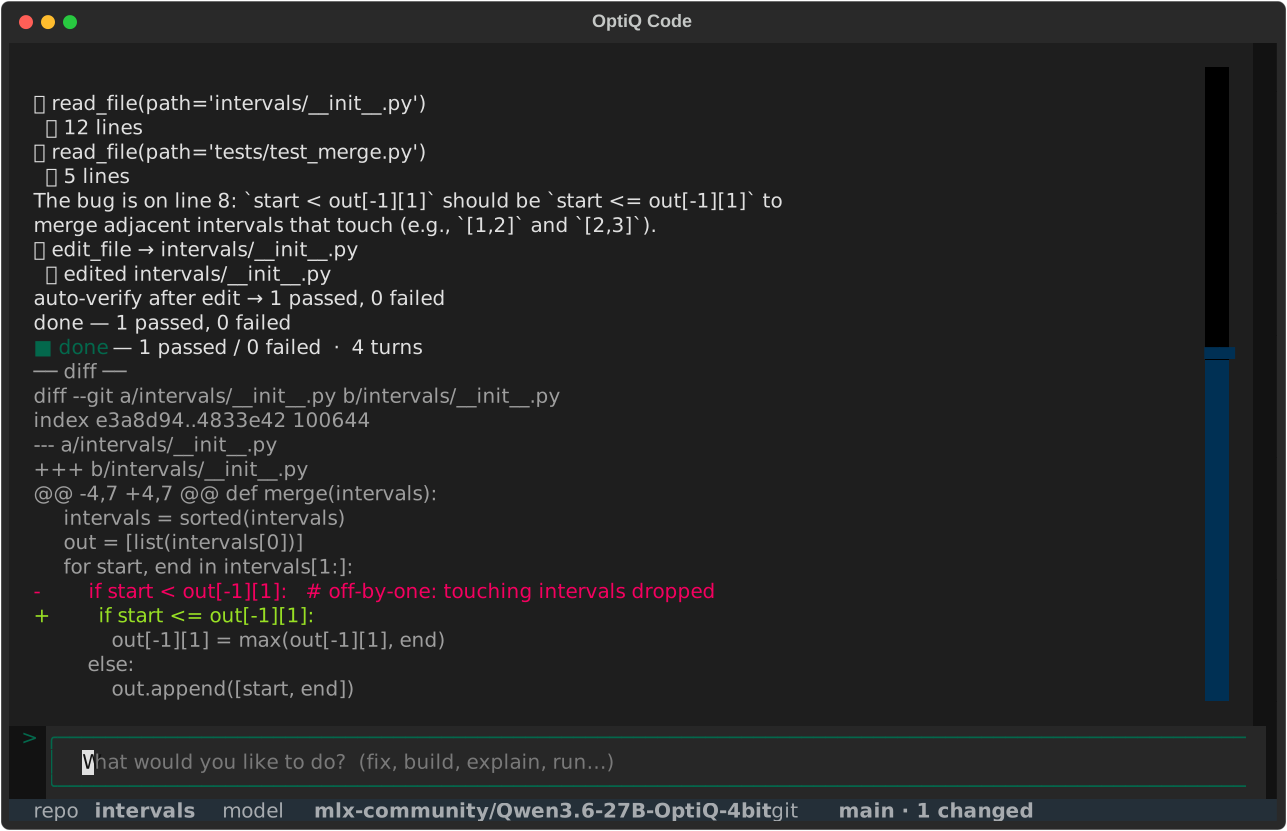
Watch it edit itself
Here OptiQ Code, driven by a local 27B, adds a feature to its own tools.py and turns a planted test green.
SWE-bench-Lite results
We measured this. An initial version of OptiQ Code, driving a 4B local model, resolved 36% of a SWE-bench-Lite subset, a strong result for a model that size, and produced a valid patch on every task. A comparable-budget baseline came up empty on 40%. A stronger local quant raises the resolve rate. The reliability features work the same regardless of model size.
Approve every edit, or let it run
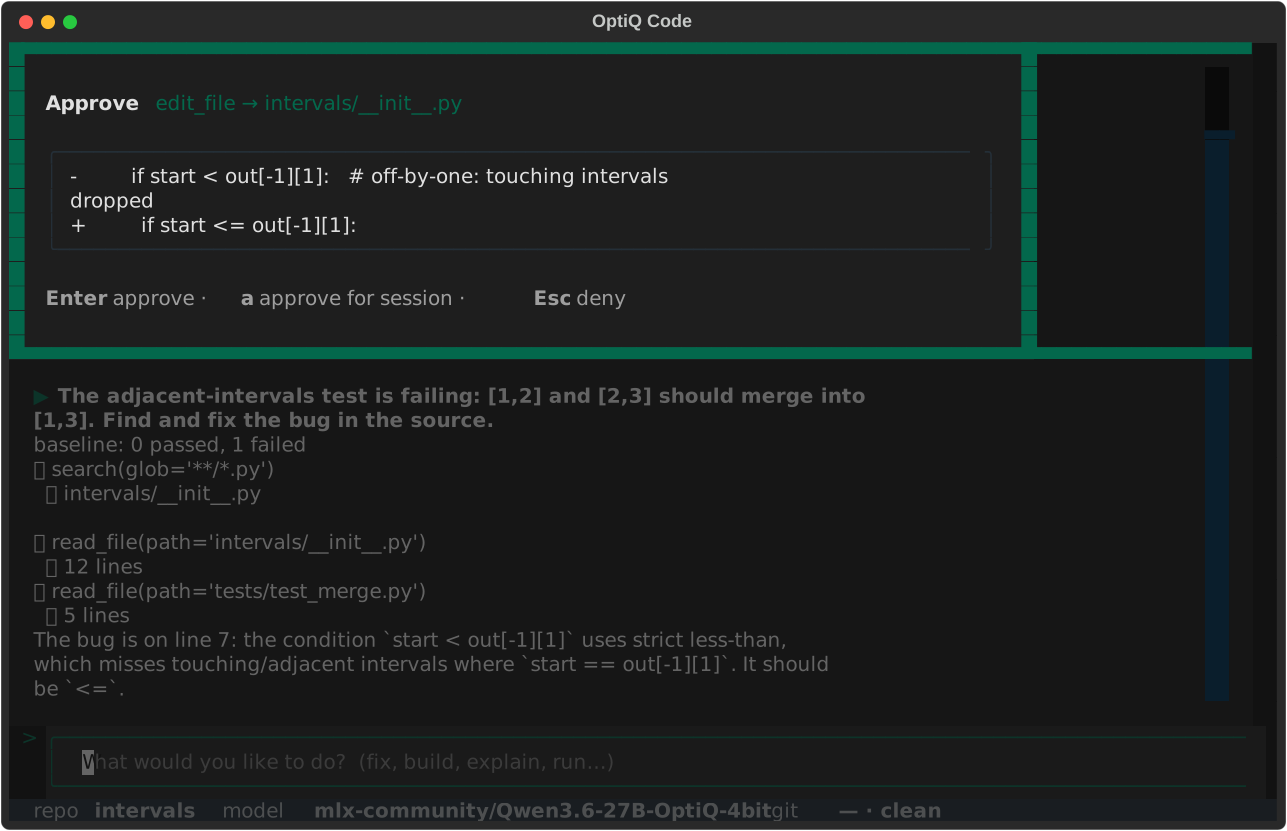
Read-only tools always run. Anything that touches your files pauses for a single keystroke, so you stay in the loop by default. Trust the repo, or running unattended? Auto mode skips the prompts.
Sessions persist per repo
Every run is saved per repo. Pick up where you left off with optiq code -c and the model keeps its context. Export any session as a shareable trace with optiq code export, handy for a bug report or for building a dataset from your own work.
Bring your best local model
OptiQ Code drives whatever you serve, so it gets better as your model does. For the best results, use the OptiQ quant with the highest Capability Score your Mac can run. In general that is Qwen3.8-27B-OptiQ-4bit.
Get started
$ pip install mlx-optiq
$ optiq serve --model mlx-community/Qwen3.6-27B-OptiQ-4bit --idle-timeout 300
$ cd my-project && optiq code

# or headless, for scripts and CI
$ optiq code -p "Fix the failing test in parser.py"
The OptiQ Code guide covers approval modes, sessions, the tool set, and headless use. The product page has the full picture.