Build a training set from your files
The trainer reads a folder with a train.jsonl and, optionally, a valid.jsonl. This page is about getting your own material into that shape.
The shapes the trainer reads
One JSON object per line, in one of two shapes. Chat format uses messages; single-turn pairs use prompt and completion.
{"messages": [{"role": "user", "content": "..."},
              {"role": "assistant", "content": "..."}]}
{"prompt": "...", "completion": "..."}
Leave the chat template off: the trainer applies the model's own. Avoid bare {"text": ...} rows. They carry no boundary between prompt and answer, so the trainer cannot mask the prompt, and the model spends its capacity memorizing your questions instead of learning your answers.
DPO wants prompt, chosen and rejected (see DPO), and a decision model wants a state, typed questions and answers (see decision models).
my_data/
├── train.jsonl
└── valid.jsonl   # optional; needed for validation loss and early stopping
From your own material, in the Lab
Start optiq lab and open Build dataset. Pick the template that matches what you have, paste or point at it, and the Lab writes both files: 90% of the rows to train.jsonl and 10% to valid.jsonl. The fine-tune step can point straight at the folder.
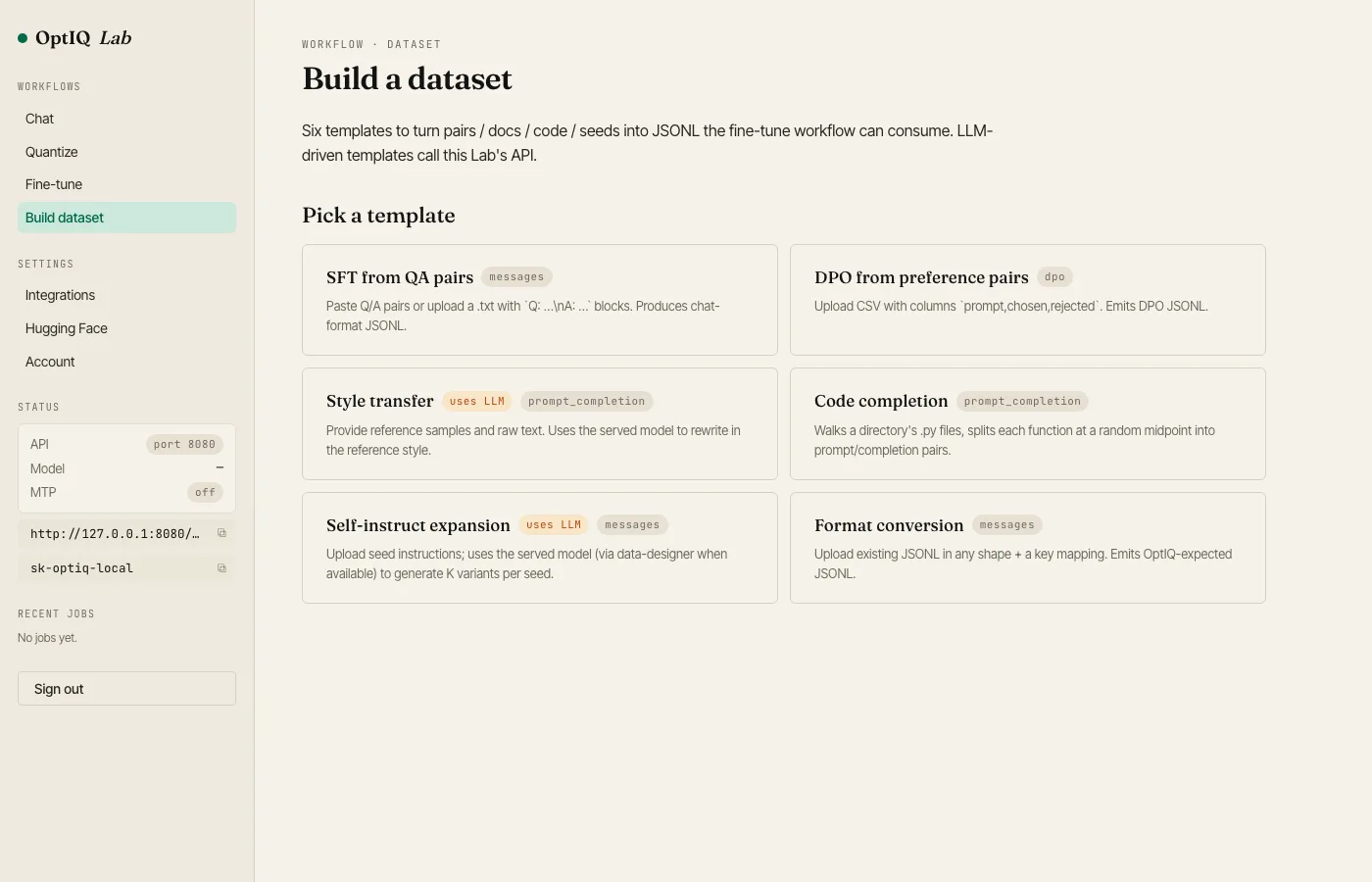
| You have | Template | What comes out |
|---|---|---|
| Docs, notes or articles | RAG Q/A from documents | The text is cut into passages; the loaded model writes a question each passage answers, then the grounded answer. |
| Writing you want the model to sound like | Prompt reconstruction | The model works backwards to a prompt for each paragraph. Your paragraph stays the answer, word for word. |
| Samples of a style, plus text to rewrite | Style transfer | Rewrites of your raw text in the reference style. |
| A folder of Python code | Code completion | Each function split at a random point into prompt and completion. No model needed. |
| Questions and answers already written | SFT from QA pairs | Q: / A: blocks become rows. No model needed. |
A CSV of prompt,chosen,rejected | DPO from preference pairs | Preference rows for DPO. No model needed. |
| JSONL with other field names | Format conversion | Your input / output fields mapped to messages. |
| A handful of seed instructions | Self-instruct expansion, Multi-turn chat synthesis | Variants of each seed, or whole conversations. |
| Tool schemas and user scenarios | Tool-use traces | Messages-format rows with a top-level tools field. |
| Questions or specs | Reasoning trace synthesis, Verified code generation | Step-by-step answers, or code whose assert checks passed in the sandbox. |
| A dataset on Hugging Face | Hugging Face dataset import | A column of the dataset, filtered and capped. |
The templates that write text call the model you have loaded in the Lab, so generation stays on your Mac. Reasoning is switched off for those calls, so a thinking model spends its budget on the answer and not on a hidden <think> block. When the set looks right, push it to Hugging Face as a dataset repo from the same page. Verified code generation tags each row verified: true or false, so you can drop the failures before training.
train.jsonl and read twenty rows. Delete the wrong ones; a few hundred clean rows train a better adapter than thousands with mistakes in them.