Keys and limits
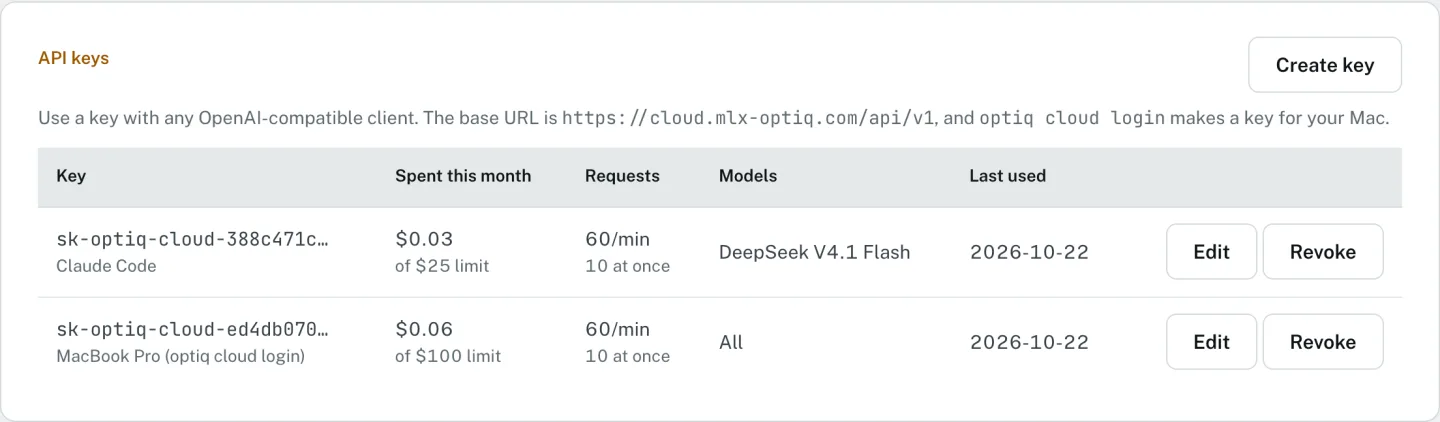
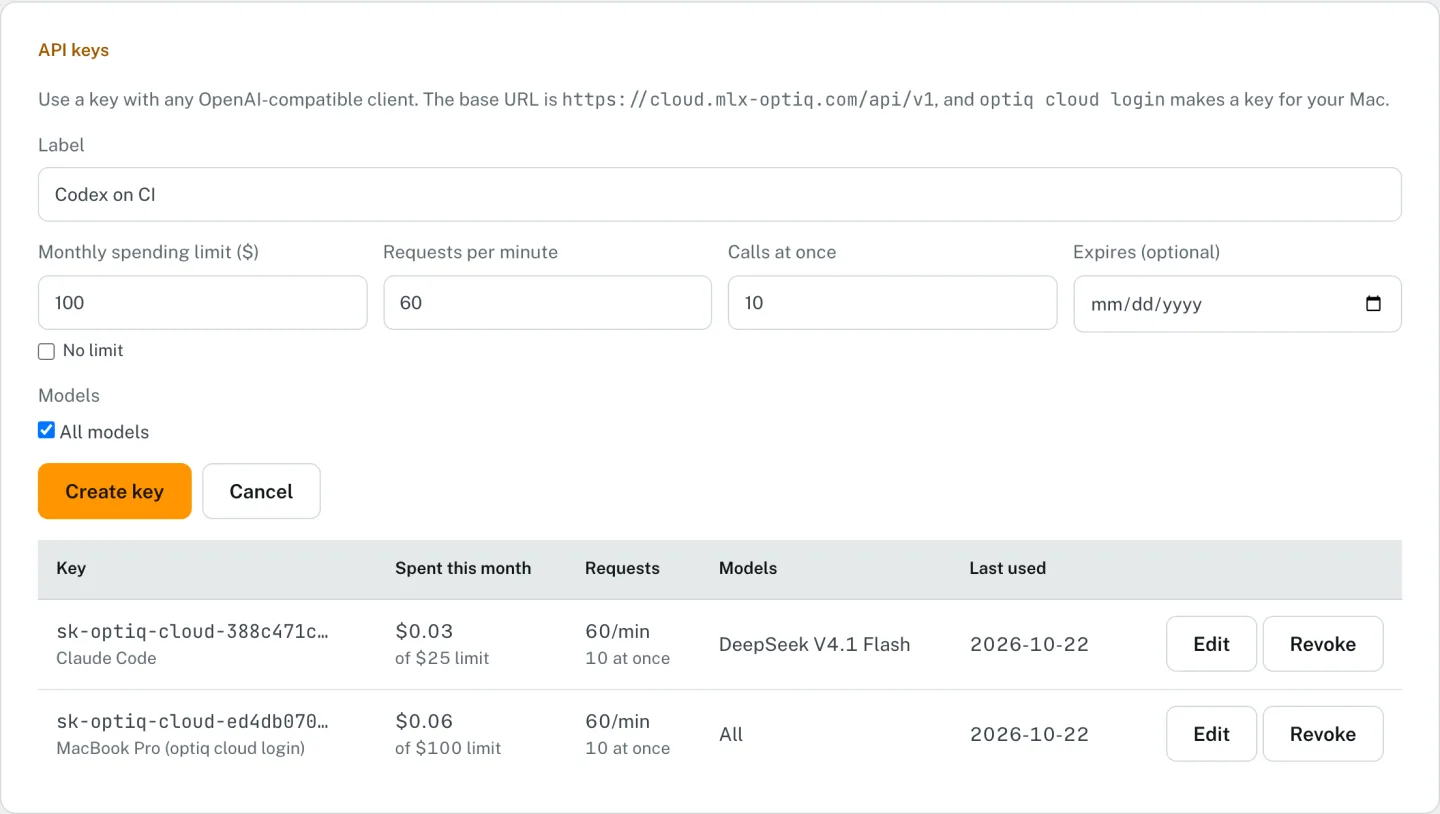
Every API key has its own spending, rate and model limits, which you set on the dashboard.
Every key has limits. The dashboard shows them on each key, and you can change them there.
| Limit | Default | What happens at it |
|---|---|---|
| Spending per key | $100 a month | The key is refused until next month, or until you raise it. A call that started under the limit finishes. |
| Requests per key | 60 a minute | HTTP 429 with a Retry-After header |
| Calls at once per key | 10 | HTTP 429 until one finishes |
| Models | All | A model the key may not call is refused |
| Expiry | None | An expired key is refused |
| Call length | 10 minutes | Fixed |
| Request size | 4.4 MB | HTTP 413; compact the conversation or crop the image |
You can remove a key's spending limit, narrow it to some models, or give it an
expiry date. Keys made by optiq cloud login get the same defaults.
Credit and top-up
New accounts get $2 of credit for 14 days. Credit is bought $20 at a time and lasts 12 months. A call is accepted while the balance is above zero and billed afterwards, so the last call can take it slightly below zero.
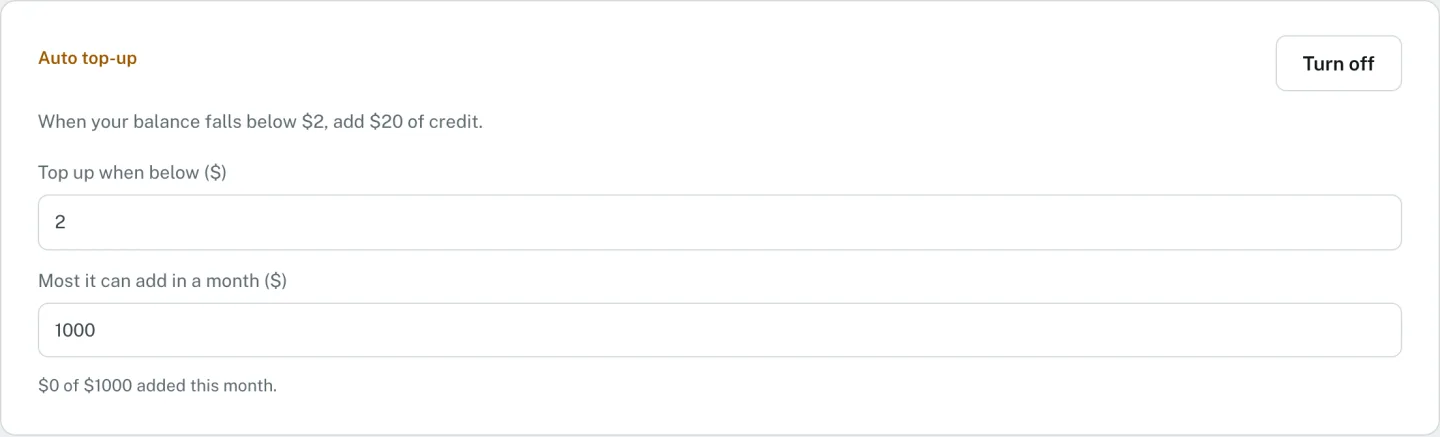
Auto top-up is off unless you turn it on. When on, it adds $20 when the balance falls below a threshold you set, and it adds at most $1,000 a month unless you change that limit.
Seeing what you spent
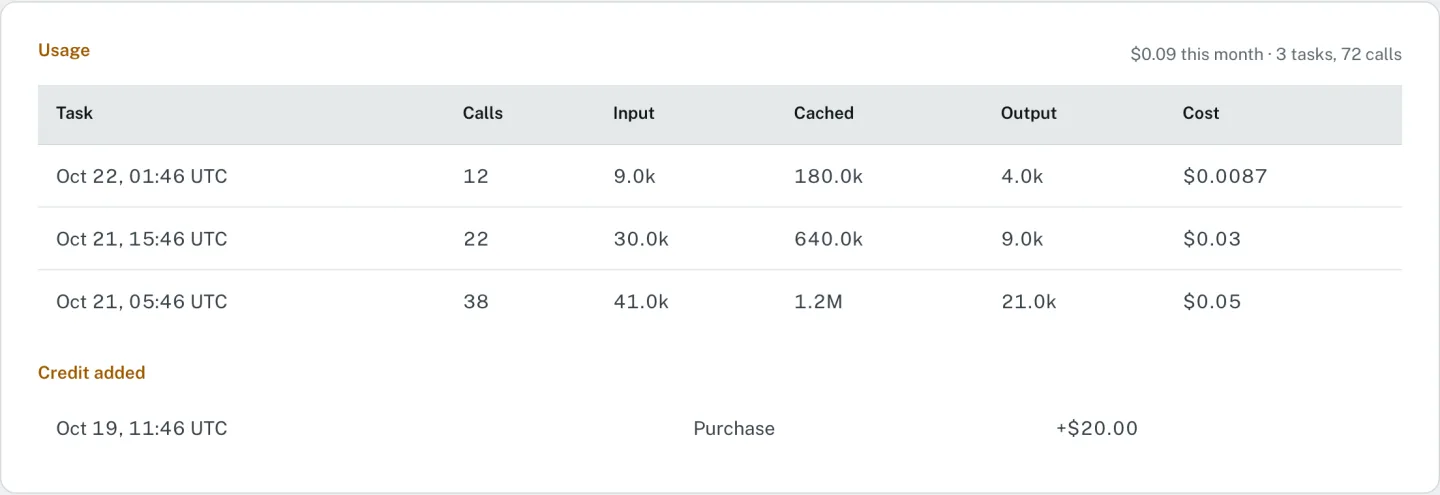
The dashboard shows your balance, this month's spend, and every recent task with its calls, input, cached and output tokens, and cost. Calls are grouped into a task by the session id the client sends; OptiQ Code and Claude Code send one, and other clients' calls are listed one by one.