Chat
A streaming playground against whichever model the API is serving, with local tools, retrieval over your files, and live HTML rendering.
Tools
Three built-in tools the model can call locally:
- web_search: DuckDuckGo search plus a
urlmode to fetch a page as compact markdown. No API key. - python: runs Python in a three-tier sandbox. Strongest first: a container with no network (Docker, Podman or Apple
container), then macOSsandbox-exec, then a plain subprocess with an rlimit. AST checks blockos.system, signal tampering, and direct network calls. Matplotlib charts the model saves render inline. - terminal: a bash one-liner in the same sandbox. Dangerous commands (
sudo,curl,rm) are rejected at command position with token-aware parsing.
Local models often emit malformed tool calls. The Lab heals six common shapes (Hermes <tool_call> tags, fenced JSON, bare objects, trailing commas, fancy quotes, function-call style) before dispatching, flagged with a healed chip.
On Linux and Windows, install Docker or Podman. Only macOS ships an OS sandbox, so without a container runtime these two tools fall back to running the model's code as you, in a temp directory, with the AST and blocked-command checks as the only guard. Installing a runtime switches on the container tier by itself. The active tier is shown in the Lab, and Installation has the full matrix.
Self-healing tool calls
The tool loop is server-side, capped at 25 turns. Consecutive identical successful calls de-duplicate to a nudge instead of re-running the sandbox. On top of that, a per-call retry budget stops the model re-running the same failing call forever: three attempts with the same arguments, then it's told to change course (different tool, different arguments, or answer with what it has), and the tool card shows a retry limit badge. If the model still won't finish after 25 turns, the orchestrator forces one final tools-disabled re-prompt so you get a text answer, not a hard error.
Cloud & remote models
Chat runs against the model your local optiq serve is hosting by default. To use a hosted model instead, set Model source to cloud API in Model & params and fill in the endpoint. It works with any OpenAI-compatible API, such as OpenRouter.
With an OptiQ Cloud login, the Model list also offers OptiQ Cloud's models, GLM 5.3 Flash, DeepSeek V4.1 Flash, MiniMax M3.1 Flash and GLM 5.3, and Boost. Pick one with Model source left on local: the Lab's server sends that chat to OptiQ Cloud and bills it per token from your balance. Tools and attached files work as they do on a local model. Signed in, optiq lab serves the cloud models even before you load a local one.
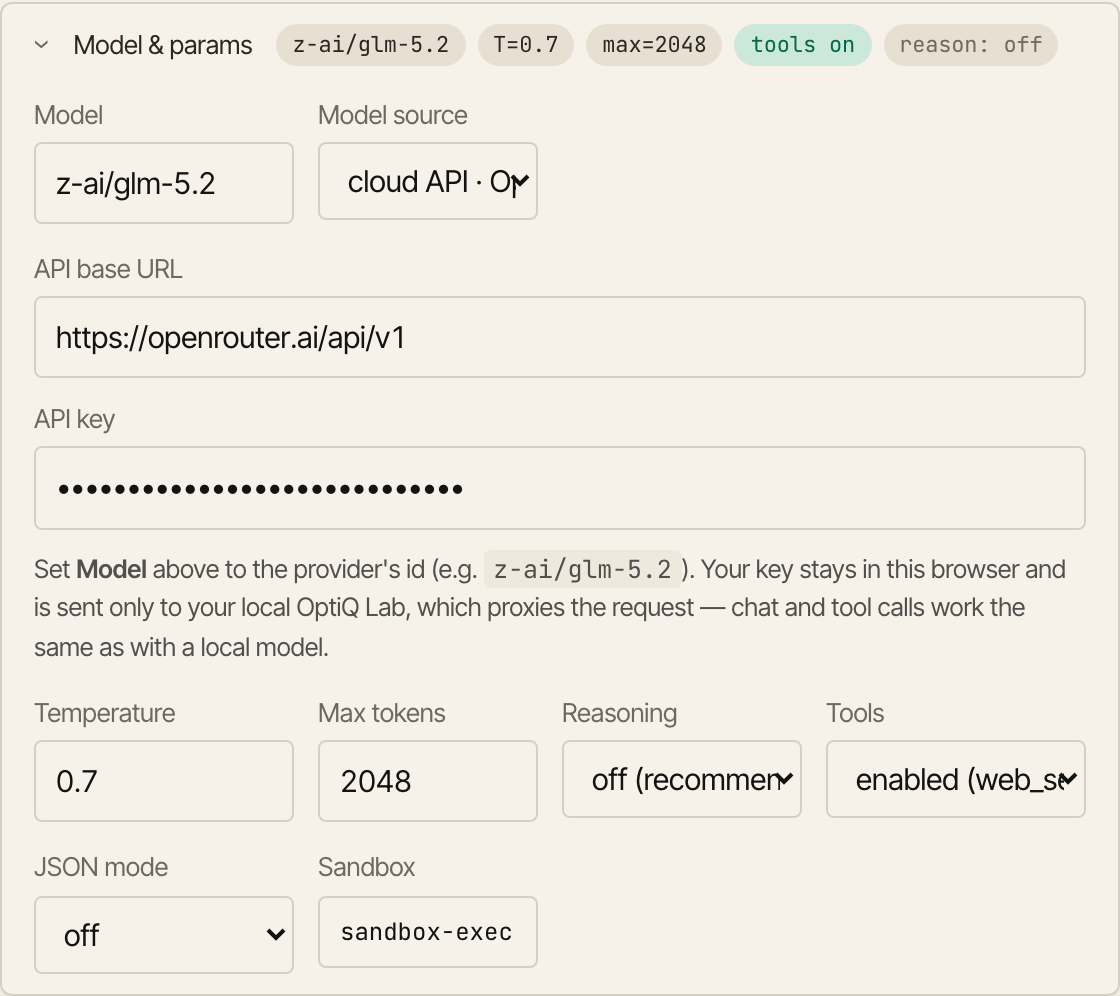
- API base URL: the provider's endpoint, for example
https://openrouter.ai/api/v1. - API key: your own key for that provider. It is kept in this browser and sent to your local Lab, which makes the request. The server never writes it to disk.
- Model: set the Model field to the provider's id, for example
qwen/qwen3.6-35b-a3b.
Tools, JSON mode, and chat-with-files behave the same against a cloud model as against a local one. The Lab proxies the request, so the key stays on your machine. This covers the Chat tab; quantizing and fine-tuning still work on local models. To drive a cloud model from the terminal instead, see OptiQ Code with a cloud endpoint.
JSON mode
Set JSON mode in Model & params to constrain the reply to valid JSON: any valid JSON, or match schema with a JSON Schema you paste into the box that appears. The decode is masked to only the tokens that keep the output valid (via lm-format-enforcer), so the reply always parses, no retries. Tools are off while JSON mode is on, since a single constrained response and the tool loop are mutually exclusive. The Lab's server installs the constraint automatically. See the structured output docs for the underlying response_format the Lab sends.
Chat with files (RAG with citations)
Attaching a non-image file indexes it instead of dumping the whole document into the prompt. A dependency-free BM25 retriever pulls the chunks most relevant to each question, prepends them with [n] citation markers, and the Lab renders a sources panel under the answer. Only the retrieved chunks enter the context, so a long PDF costs a few hundred tokens per turn instead of overflowing the context window.

Artifacts
An assistant message containing a fenced html block shows a Run card. Clicking it opens the page in a sandboxed allow-scripts iframe in a side panel, with restart, view-source, and close. Nothing the model writes executes until you ask for it, and the running page has room to run charts, small games, and interactive widgets. The iframe has no same-origin access, so the page stays isolated.
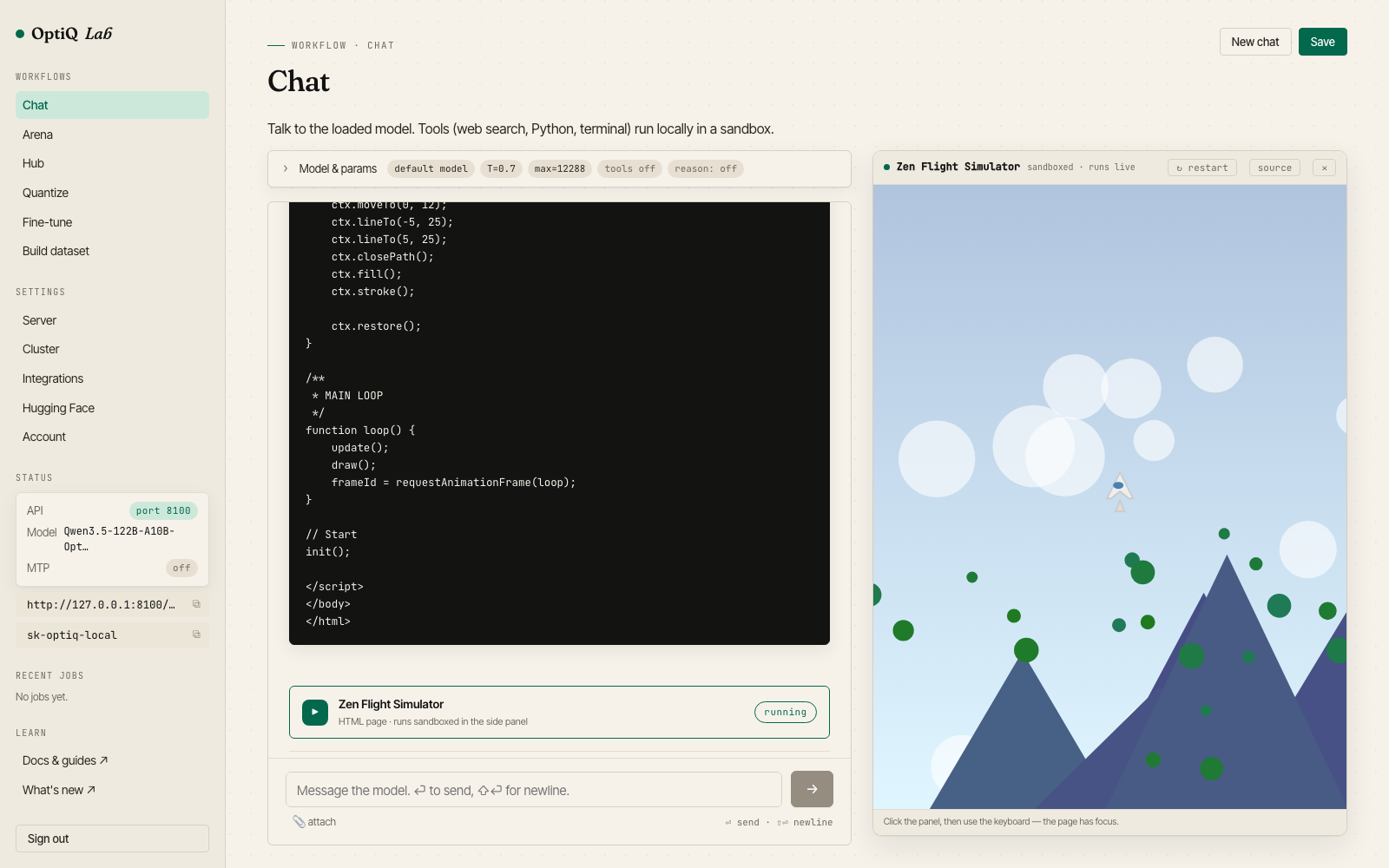
A flight simulator written by a 122B sharded across two Macs, running in the artifact panel.
Input + history
Per-message controls for temperature, max tokens, and enable_thinking. Images attach as vision input on the multimodal quants. Multi-step tool runs collapse into a single "N tool calls" accordion. A Stop button cancels the run and SIGKILLs any sandbox subprocess. Saved chats persist to ~/.optiq/lab/chats/.