Hub
Find a model and load it without copy-pasting ids into Settings.
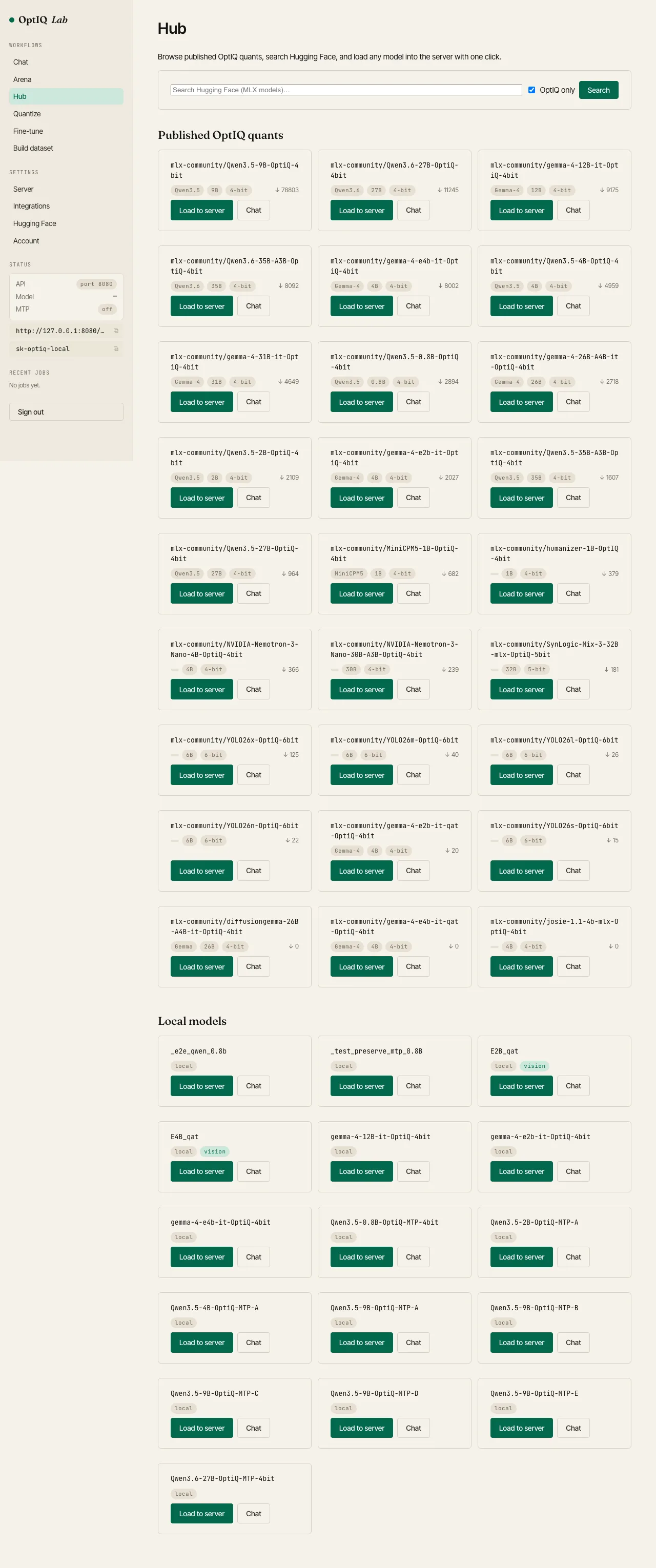
The Hub shows three things, each with one-click load-to-server and new-chat actions:
- Published OptiQ quants: auto-discovered from
mlx-community, with family, size, bit profile, and download count. - Hugging Face search: any MLX-compatible model on the Hub; filter to OptiQ quants with a toggle.
- Local models: anything you've converted locally (a directory with
optiq/metadata.json), with a vision badge when it carries anoptiq_visionsidecar.
Loading a model reuses the same hot-swap path as Settings → Server: the running model is switched in place (about 5–30 seconds depending on size) without restarting the Lab.